This week is a bit of a brief update. I do have something to show y’all but I spent most of the week learning about shader development for emulators, so please accept my humble ramblings for a while before I show you what I actually did.
One thing I’ve always loved about video games is the flexibility with which we can enjoy them. The older of us may remember going to arcades and popping quarters to enjoy a bit of cheap fun. Gaming has (obviously) exploded since then, to the point where we can now form communities on the internet around enjoying games without even playing them. It’s even gone full-circle. Arcades seem to be making a bit of a resurgence in my area, with some tweaks to the classic business model. But one big downside to the modernization of gaming is that we can start to lose elements that defined older games.
What I mean is, as we phase out older technology in favor of newer tech, we lose the details that the older tech held. Older tech may have been janky, but it was great until improvements came around, and their jankiness defined how people enjoyed them. The only way to experience exactly what that was like back in the day would be to actually be back in the day with no knowledge of the future… but since that’s impossible, it can be fun to aim to get as close as possible.
One obvious example of the gap between old and new is display tech. This topic has sorta been beaten to death in the last couple of years, and I’m glad it has because that’s how I learned about it. Consoles from the ’80s and ’90s (and for a little bit beyond) were typically played on CRT televisions, which had certain visual qualities. These qualities were often taken into account when the games were being designed. The most well-known example of this is that NES developers knew that despite internally using “square” tiles, their games’ video output would be stretched out a little bit horizontally, so sometimes the graphics were intentionally created a bit narrow to account for this. Check out the intro sequence from Kirby’s Adventure; Kirby is supposed to be spherical, so the first image doesn’t make sense.


This concept is famous enough that most retro game re-releases include aspect ratio correction to replicate this effect, which is fantastic to see.
But a slightly lesser-known artistic concept is dithering and blending. Game designers knew that when the console pushed the analog video signal to the CRT screen, the pixels would blend and smear a bit. This inevitability seems terrible at first glance, but limitations are often the cause of artistic innovation. Artists realized that even though the console might not have supported semi-transparency, they could take advantage of the blending to create the desired effect anyway. Sonic the Hedgehog has many examples of checkerboard or stripe patters (called dithering) throughout the game, which blur together and render as semi-transparency.
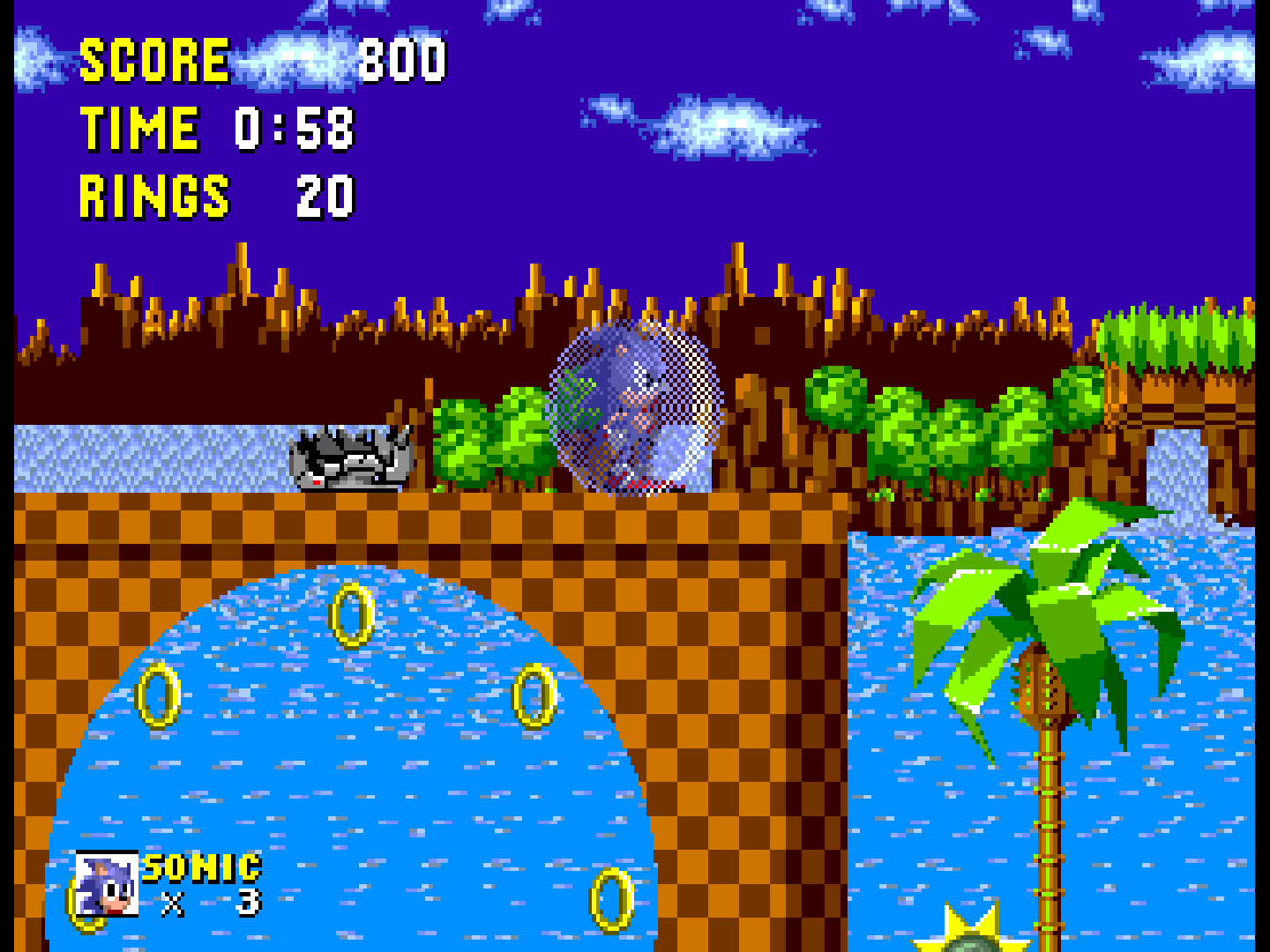
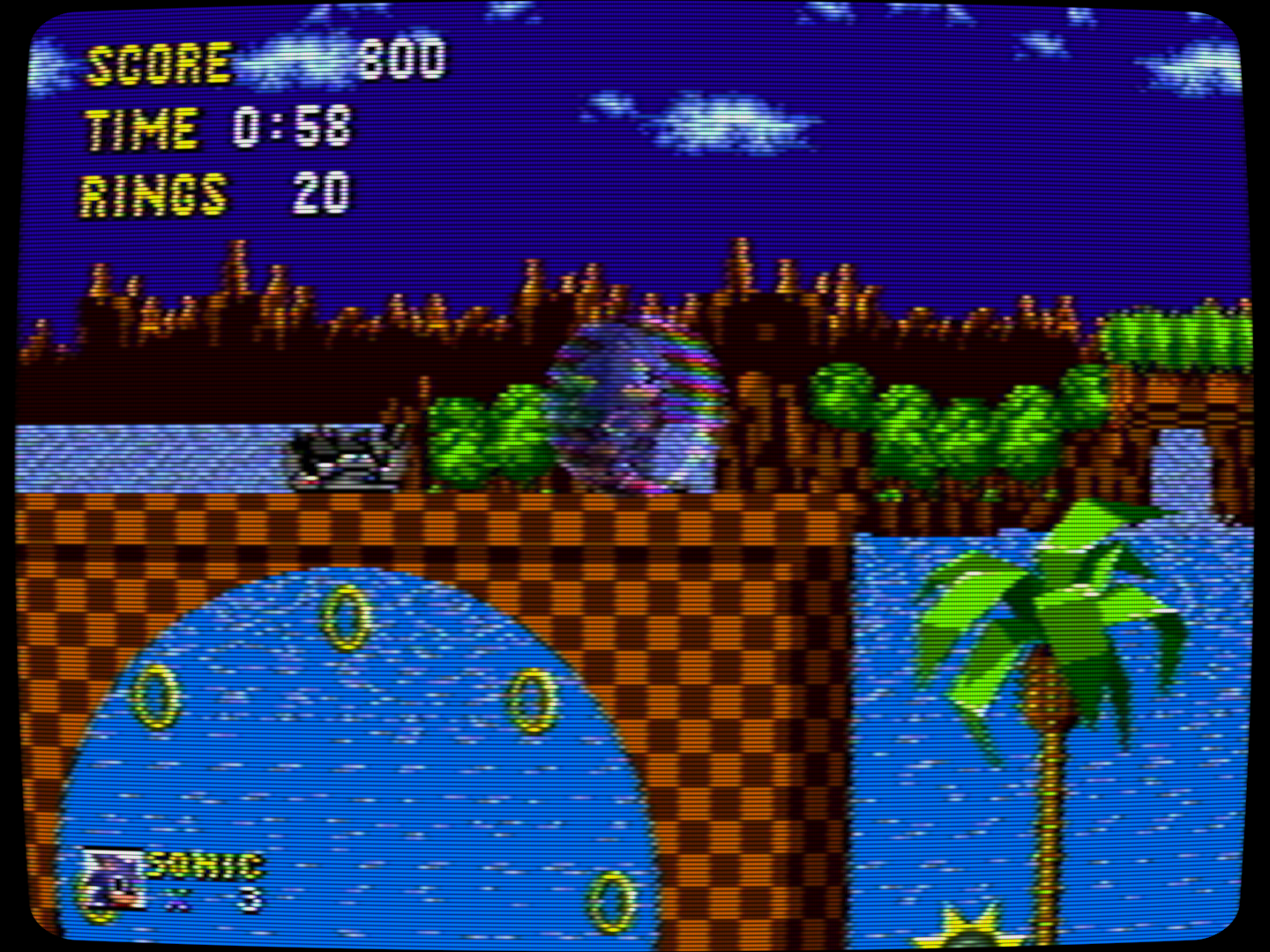
These screenshots are both taken from an emulator on a modern computer, but the second picture has a digital filter over it (or “shader” as they’re often called) that attempts to replicate the analog video signal and the CRT display. If you pay close attention, you can see that the shield over Sonic looks a lot more bubble-like and see-through. A bonus is that some of the background elements in the first image look chunky, but they’re rounded out quite a bit in the second image.
As emulation took off in the 2000s, many young gamers took it as an opportunity to play games they couldn’t quite catch when they were popular. But without shaders recreating the intended look of the games, they missed out on a big part of the experience of what playing the game is supposed to be like. Filters are almost never enabled on emulators by default, and quite often the ones with advanced effects are computationally demanding, so the internet became flooded with screenshots from old games that don’t look at all like how they actually looked on the original console.
Times are changing though. With more people able to access computers with higher specs, the use of these shaders is growing in popularity.
Porting shaders to mGBA
With that all said and done, the thing I’ve been working on is simply porting a few of my favorite shaders to mGBA, a Game Boy series emulator. So far I’ve only finished Sharp-Shimmerless… it’s a simpler shader that doesn’t do nearly as much as analog signal and CRT simulation, but it still has a desirable effect. It’s more intended for games that were displayed on digital screens, but it doesn’t really matter what you use it on. It’s basically designed to be a middle-ground between (bi-)linear filtering and nearest-neighbor filtering. Take a look at these mock-ups I threw together in an image editor.
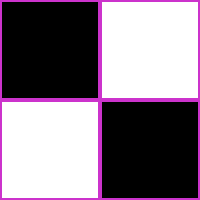
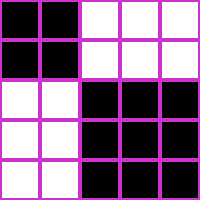
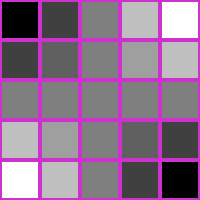
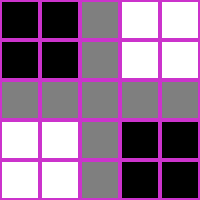
There may be some rough coloration errors, since I couldn’t simply run the source image through the desired filters, but this should be sufficient to get my point across. Here, I’ve upscaled a 2×2 checkerboard pattern to be 5×5. “Nearest neighbor” filtering simply chooses to replicate the closest input pixel, but this can leave weird issues at non-integer ratios (like this 2.5×) where some rows/columns appear wider than others, which can cause shimmering issues when the input image scrolls across the screen. “Linear(-ish)” filtering attempts to blend between the input pixels, but it can cause a blurry look. “Sharp-Shimmerless” attempts to mix the 2, where it only blends input pixels when the output pixel straddles a border between input pixels.
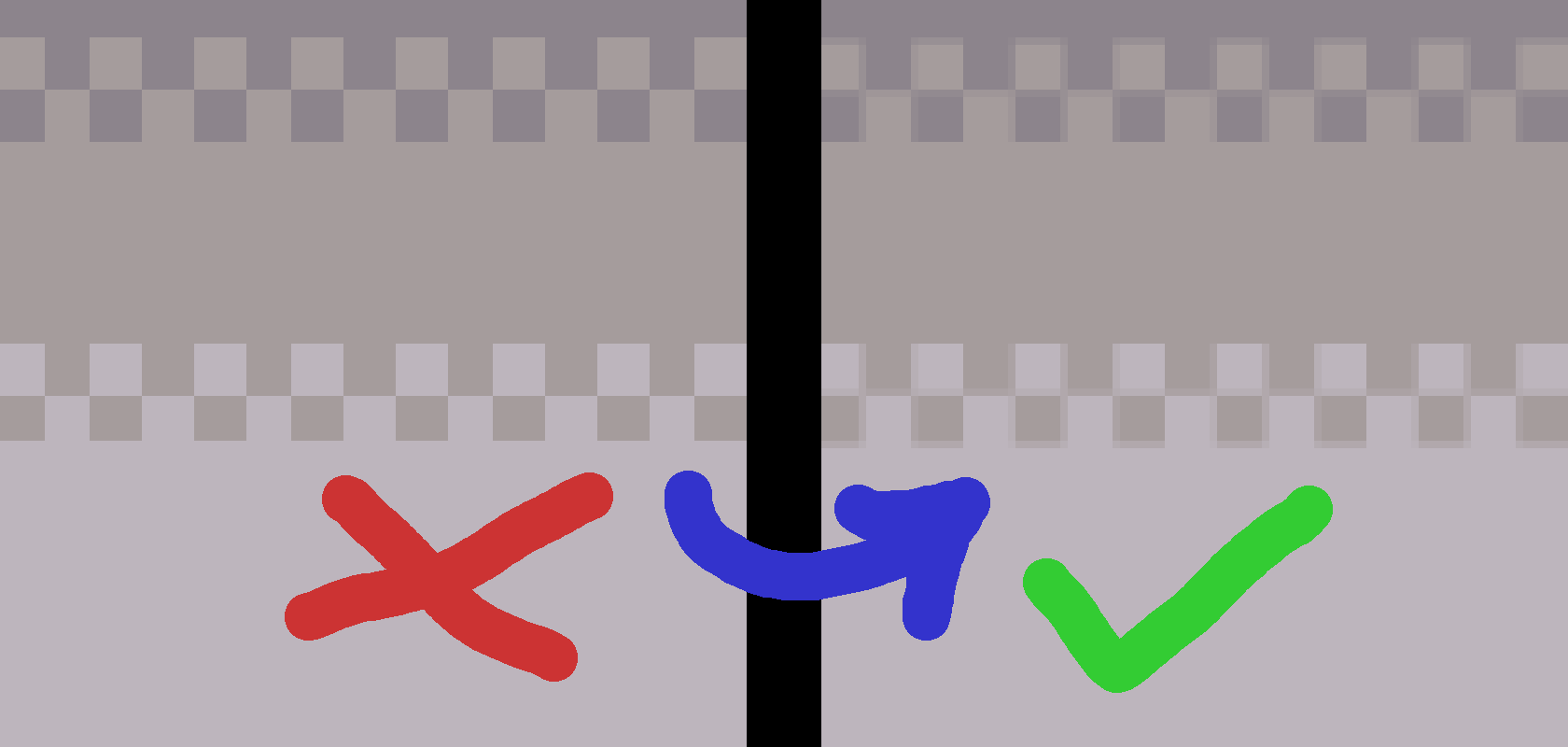
This is absolutely a matter of preference, but when it comes to games for LCD screens, I prefer something like Sharp-Shimmerless to preserve the intended blockiness while also avoiding the shimmer, since I can sometimes notice the unevenness at a distance, taking me out of the game a little bit. Here’s an example from Mario Kart: Super Circuit for the Game Boy Advance. You may have to zoom in to see the difference. It’s not much, but it is there.
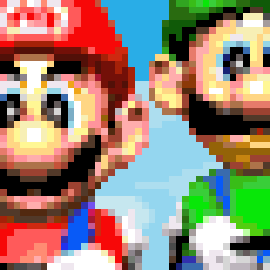

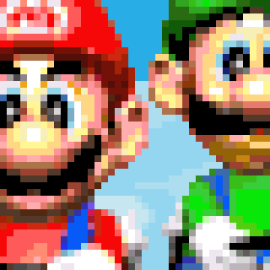
Sharp-Shimmerless wasn’t available for mGBA, so I decided to learn a bit and port it from libretro’s slang shader format to mGBA’s format. It was both very easy and very difficult. I’ve never had to give serious thought when handling shaders before, so there was a lot to figure out, since the files aren’t directly compatible. Maybe I’m missing something, but I couldn’t find direct answers to questions that arose during development (this is becoming a common theme around here).
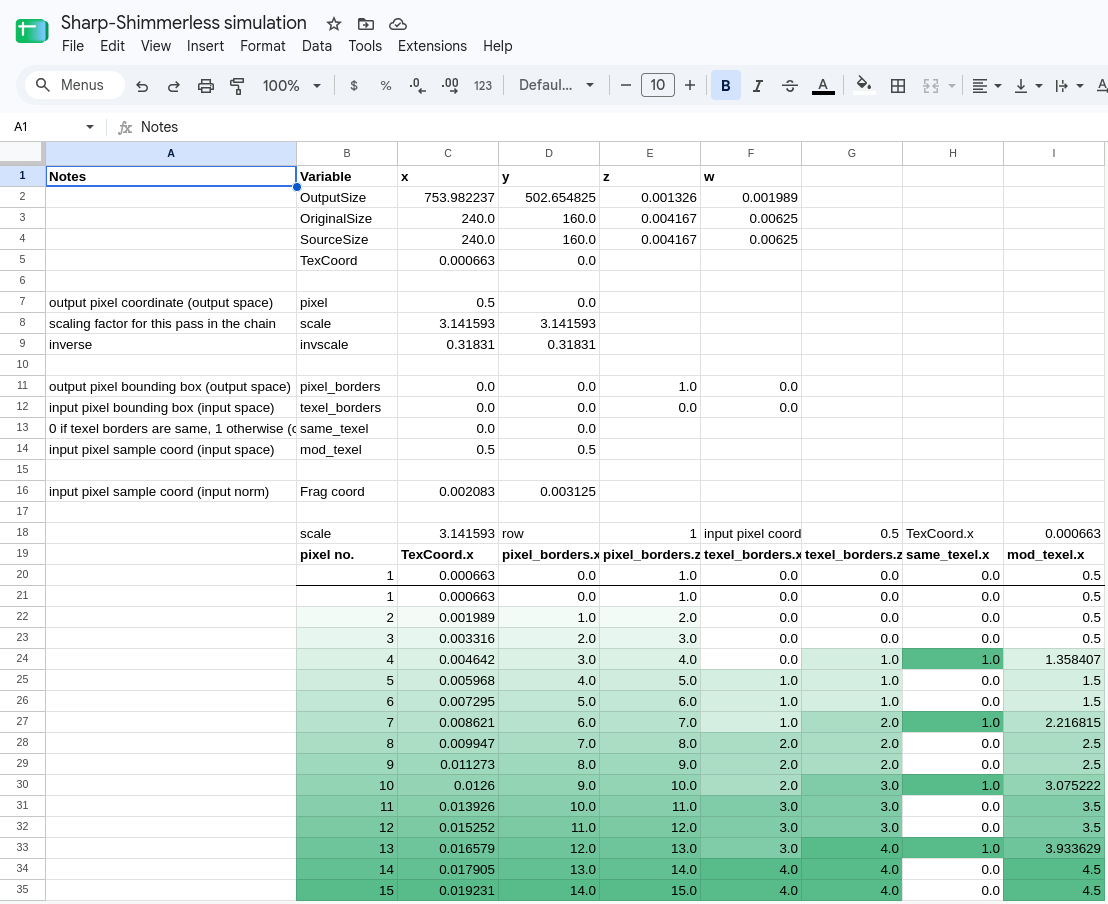
I ended up finding most of my answers in other shaders that were available in both mGBA and libretro, or the mGBA source code, digging in to find keywords used in the files, and then snooping around to find related keywords and resources. I struggled to understand some parts of it, so I also ended up making a sort of mockup in Google Sheets to figure out the internal workings of the shader.
… It turned out that the language between the 2 formats is almost identical, and a lot of my problems were simply caused by trying to use a variable that didn’t exist. The latest version of mGBA is v0.10.5, but outputSize wasn’t available in that version. Simply switching to a development build fixed almost all my problems. I wasted a lot of time figuring that out. Oh my. …
I posted the code up on my GitHub if you wanna check it out.
Thank you so much for reading, have a nice day.
– Patch